 Daniel Vos
First, Confirm Which Item You're Verifying Before checkout, lock down the item's identity, then determine whether any discount actually lowers the amount due. The page currently verifiable on Fashionreps shows this item as a Moncler black nylon long puffer coat, labeled "Long Puffer Coat in Black" with SKU SPU-CHOC2LJLGX. The page also notes that the same source may have multiple styles, so confirm the style name before vi
Editor score 4.2 / 5
First, Confirm Which Item You're Verifying
Before checkout, lock down the item's identity, then determine whether any discount actually lowers the amount due. The page currently verifiable on Fashionreps shows this item as a Moncler black nylon long puffer coat, labeled "Long Puffer Coat in Black" with SKU SPU-CHOC2LJLGX. The page also notes that the same source may have multiple styles, so confirm the style name before viewing QC photos.
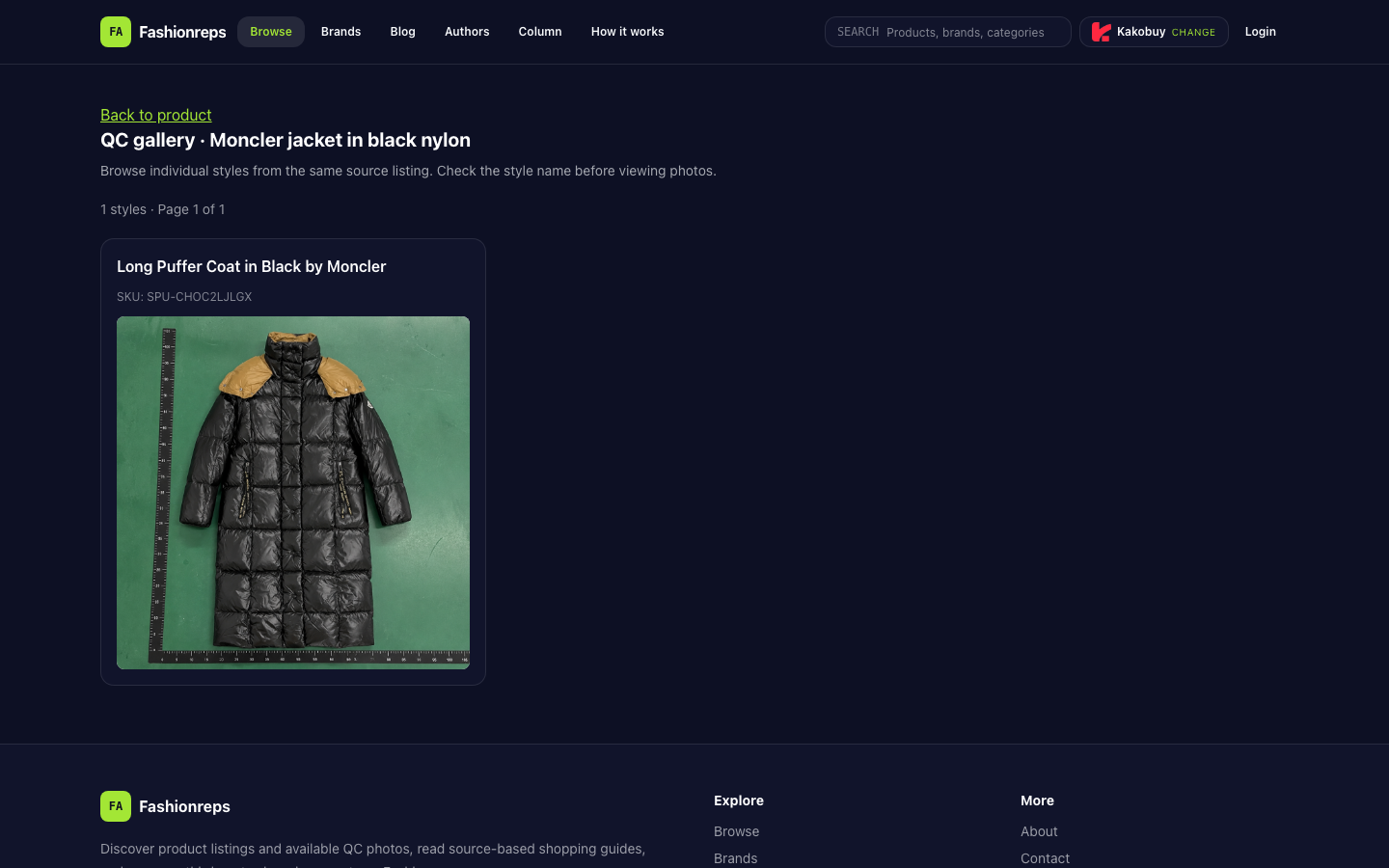
Don't just note the brand and category. At minimum, save the following:
- Style name or SKU
- Color
- Size
- Unit price shown on the product page
- Screenshots or timestamps of the product page, cart, and checkout page
The currently visible QC page provides item identification and a QC photo link, but it doesn't provide any item price, discount amount, service fee, packaging fee, international shipping fee, or exchange rate figures usable for this article. Therefore, the methods below are for verifying an actual checkout, not a substitute for real-time amounts on the checkout page.
Break Down Total Cost into Different Fee Layers
Don't treat the product page price as the final amount due. For a single purchase of a coat, record in this order:
| Fee Layer | What to Record | Key Check |
|---|---|---|
| Item cost | Unit price, quantity, color, and size | Does it match the specific style selected |
| Discount | Discount entry point, name, threshold, what it applies to, and result | Has it actually been reflected in the subtotal or amount due |
| Agent service fees | Service fee, payment fee, packaging or handling fee | Are they itemized, recalculated after discount |
| International shipping | Shipping method, chargeable weight or volume, international shipping fee | Is it only determined after submitting package info |
| Exchange rate & payment result | Page currency, exchange rate, actual charge currency on card or account | Does the page conversion match the final charge |
This table prevents double-counting or omissions. Item discounts usually apply only to specific items or the item subtotal, not automatically to service fees, payment fees, packaging fees, or international shipping. Only when the discount terms clearly list the applicable scope and the checkout page shows the corresponding reduction can you count it as savings.
Step 1: Establish a Baseline from the Product Page
Open the product page and first confirm the style name, color, size, and SKU. If the page has multiple styles from the same source, don't judge by thumbnails alone. Record the product page price exactly as shown, along with the page currency and timestamp.
If the price only appears after logging in, selecting a size, or selecting a shopping agent, note these conditions. Don't substitute the current product page price with other styles, old screenshots, or search results.
The product page price is only a baseline for item cost. It doesn't prove a discount is available, nor does it indicate final service fees and shipping.
Step 2: Check If the Discount Actually Applies
In the cart or checkout flow, find the actual discount entry. Common entry points may be on the item line, cart summary, coupon area, or checkout page, but exact location and terms depend on the current page.
Check each of the following:
- Is the discount clearly tied to this item, not just other items or promotions?
- Are there conditions like minimum amount, specific style, specific size, specific time, or first-time use?
- Is the discount calculated on the item subtotal or other fees?
- Does the page show a clear discount amount or new subtotal?
- Does the discount remain after selecting color, size, quantity, or shopping agent?
- Does the page show "conditions not met," "unavailable," or require manual claiming?
Only when the checkout summary shows a change in amount before and after the deduction can you confirm the discount applied. Seeing a discount name, promotional text, or an enterable code isn't enough to prove the discount was obtained.
Step 3: Record Service Fees, Payment Fees, and Packaging Fees Separately
After the subtotal changes, continue viewing the fee details. Service fees, payment fees, and packaging or handling fees may appear under different names or only at a later step. Don't lump them into one "miscellaneous fee," or it'll be hard to tell what the discount actually reduced.
If a fee shows no amount, record it as "checkout page hasn't provided an amount yet," not an estimate. Especially for payment and packaging fees, whether they exist, how they're calculated, and when they appear depends on the current agent checkout page.
The Fashionreps page notes that the buy button redirects to your chosen shopping agent, and orders, payments, and shipping are handled on the agent's site. Thus, Fashionreps product page information can't replace the final agent checkout fee details.
Step 4: Separately Confirm International Shipping
International shipping usually can't be derived directly from the product page price. When verifying, check whether the page has received package weight, dimensions, shipping method, and destination.
If shipping hasn't been generated, record the status as "pending after submitting package info." Don't substitute current order shipping with other orders, other countries, other methods, or online examples.
Especially note: the cart stage may only show item cost and some service fees. Even if a discount has applied to the subtotal, it doesn't mean international shipping has been calculated, nor that the final payment amount is set.
Step 5: Verify Exchange Rate and Actual Charge
The converted amount on the checkout page and the actual charge on your payment account may not match. Before paying, record:
- Original currency on the checkout page
- Converted currency and amount shown
- Whether the page displays the exchange rate or conversion time
- Any additional fee notices from the payment method
- Final amount due on the confirmation page
If the page only shows an estimated converted amount with no clear exchange rate, don't treat it as a promise of the final card charge. After payment, keep the payment receipt to distinguish page amount, payment processor conversion, and actual account charge.
Use a Checklist for Pre-Payment Review
Before paying, fill in the following in order; pause if key data is missing:
- Item identity: Moncler black nylon long puffer coat, confirm style, color, size, and SKU.
- Item price: Copy the current item subtotal from product page and cart, noting currency.
- Discount terms: Record entry, threshold, applicable items, and actual deduction shown.
- Service fees: Separately record service fee, payment fee, packaging or handling fee; mark as pending if not shown.
- International shipping: Record method and current amount; mark as pending if not generated.
- Exchange rate info: Record page conversion and explanations; don't calculate missing data.
- Final amount due: Use only the amount clearly shown on the final confirmation page, not the product page unit price.
After completion, check total consistency with this logic: item cost minus clearly applied item discount, plus page-listed service, payment, packaging, and shipping fees, then verify page conversion and actual payment currency. If the page uses a different fee structure, follow the page details, don't force a fixed formula.
Don't Pay in These Situations
Pause and reconfirm if any of the following occurs:
- Selected color, size, or style doesn't match the recorded item identity.
- Discount only appears in promotional areas, no actual deduction in checkout summary.
- Discount terms are unclear, can't confirm if it applies to this coat.
- Service fee, payment fee, packaging fee, or international shipping lacks amount or applicable explanation.
- Item subtotal on checkout page doesn't reconcile with product page record.
- Shipping method or destination changed but fees not reconfirmed.
- Currency, exchange rate, or final amount due is inconsistent across pages.
- Reliance on other orders' amounts to estimate current order cost.
Fashionreps' product page helps buyers identify items and proceed to the appropriate agent flow, but orders, payments, and shipping are processed on external agent sites. For this Moncler coat, reliable conclusions only come from real-time records that correspond across product page, cart, and checkout page. If an amount isn't shown, keep it unconfirmed; if a discount isn't reflected in the summary, don't treat it as a obtained deduction.