 Daniel Vos
Clarify the Problem This Check Aims to Solve When the same Alo Yoga fall/winter jacket has conflicting information across its product title, color options, size range, and images, the safest approach is not to immediately pick a variant that looks close, but to first confirm whether the specific color, size, and product link you intend to buy all point to the same style. After completing the steps in this article, you should be able to make one of th
Editor score 4.2 / 5
Clarify the Problem This Check Aims to Solve
When the same Alo Yoga fall/winter jacket has conflicting information across its product title, color options, size range, and images, the safest approach is not to immediately pick a variant that looks close, but to first confirm whether the specific color, size, and product link you intend to buy all point to the same style.
After completing the steps in this article, you should be able to make one of three decisions: proceed with the order, ask the seller or platform customer service first, or pause the purchase. This article only covers pre-purchase color and size information verification, and does not judge authenticity, fabric quality, warmth, or how it looks upon arrival. If you have already paid, focus should shift to order variant, warehouse inspection, and after-sales window verification.
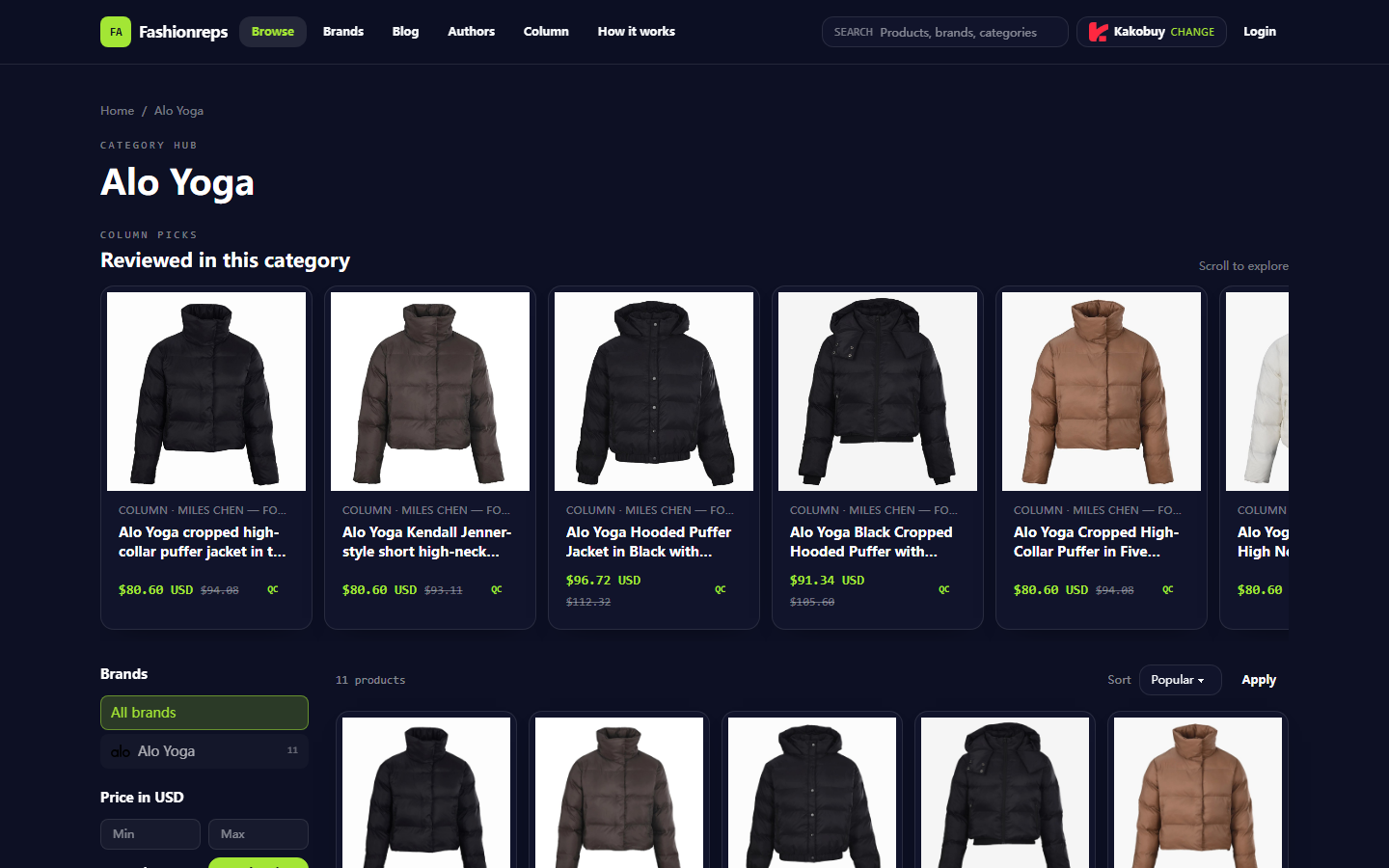
Image: Product index screenshot from the fashion-reps Alo Yoga category page. This screenshot is used to identify style clues on the page and does not serve as proof of color, size, or inventory for a specific product page.
Record Style, Color, Size, and Link from the fashion-reps Product Page
The page clues used in this article come from a screenshot of the fashion-reps Alo Yoga category page. The screenshot shows that this category has multiple cropped, high-neck, hooded, and decorative-stripe jackets or quilted coats. Some titles state color quantities or size ranges, such as black, white, ivory, toasted almond, and XS to L. Reference prices in the screenshot vary by style, but this information cannot replace real-time verification on the specific product page.
After opening the target product page, create a standalone record and do not rely only on the browser address bar or search result summary. At minimum, save the following:
- Full product page URL and date opened
- Complete text of the page title
- Main product image and all switchable images
- Currently selected color name
- Currently available size names
- Size chart shown on the page and its units
- Whether color or size is marked as out of stock, unavailable, or pending confirmation
- Price, seller information, and variant options shown on the page
It's recommended to write the target variant in one line, such as "Cropped High-Neck Jacket | Toast Almond | M", rather than just "Quilted Coat Size M". This helps avoid missing color or size when switching between similar styles.
How to Compare Product Title, Variant Options, and Image Information Item by Item
First look at the product title, then the variant buttons, and finally the images. All three should point to the same specific style. Color or size ranges in the title are only preliminary clues; what actually determines whether you can place an order is usually the variant options on the current page.
You can verify in the following order:
- Confirm the style features in the product title, such as high-neck, hooded, cropped, quilted, or decorative stripes on sleeves.
- Record the original color names listed on the page; do not translate Black, Ivory, or Toasted Almond into your own abbreviations before comparing.
- Click each color option one by one and observe whether the main image, thumbnails, product title, and stock notices update accordingly.
- Check each size button to confirm that the target size is still available for the selected color.
- Compare the collar, zipper, cuffs, logo placement, and decorative stripes in the images to make sure you are not treating similar styles as the same.
- Check the units in the size chart: centimeters, inches, or unspecified. Do not convert on your own and treat it as a confirmed result if units are not stated.
If the image does not change when you click a color, you cannot directly assume all colors use the same set of images. The image may simply not have refreshed, or the page may be displaying multiple variants together. In that case, mark the item as pending confirmation instead of using visual similarity to substitute for seller confirmation. 🔎
Review Order When Size Chart, Color Names, and Stock Status Conflict
When facing conflicting information, the priority should be that "a specific variant that can be ordered" takes precedence over "overview text", not judged by how professional the title looks. You can use the following review table:
| Item to Check | Temporarily Acceptable | Mark as Pending Confirmation |
|---|---|---|
| Product title vs. style image | Text and image point to the same structure | Title says hooded, but image shows high-neck, or decorative details clearly differ |
| Color name vs. variant button | Color name can be found in buttons, and image changes accordingly after switching | Title lists multiple colors, but buttons are missing one, or image doesn't change after switching |
| Size range vs. size buttons | All sizes in size chart can be selected for current color | Title says XS to L, but current color only has S, M, or size chart lists sizes not on page |
| Stock notice | Target color and size both shown as available | Color available but target size not, or page shows both in-stock and out-of-stock notices |
| Size chart vs. actual variant | Size chart has clear units, measurement items, and corresponding sizes | Size chart lacks units, has too few measurement items, or two sets of numbers appear in different areas |
If it's only a language difference in color names, such as English name and Chinese translation not exactly matching, you can record the original text first, then confirm whether image and variant are consistent. If color names are the same but images clearly differ, or the same color corresponds to different size ranges in different locations, you should pause and not select.
Price should not be used to infer color or size. The reference price in the screenshot is only category page information and cannot prove the current price, inventory, or shipping cost on the target product page. Before purchasing, rely on the actual display on the target product page and record the verification date.
How to Distinguish Page-Visible Facts, Pending Confirmation Issues, and Editorial Judgments
To avoid treating speculation as product information, you can divide your records into three columns:
Page-visible facts are things you can directly read on the current page, such as "Color buttons show Black", "M size button is not clickable", "Size chart uses centimeters".
Pending confirmation issues are conflicts between pages or within the same page, such as "Title says five colors, but only three buttons are shown", "Image shows white, but current option name is Ivory", "Size chart has L, but variant buttons don't have L".
Editorial judgments are action recommendations based on risk, such as "Do not select this variant for now", "Contact customer service first", "Abandon purchase if unable to confirm". Editorial judgments must not be written as facts that the seller has promised.
When recording, you can use expressions like these:
- Seen: Current color button shows Black, M size is available.
- Unconfirmed: Whether main image changes when switching colors, page does not clearly indicate.
- Next step: Save screenshot and ask seller if this color has M size.
- Pause condition: Customer service cannot confirm that color, size, and image match.
This approach is safer than saying "This should be black size M", and makes it easier to review the purchase basis later if a dispute arises. 🧾
What Page Evidence to Save Before Contacting Customer Service or Submitting an Inquiry
If the page information is inconsistent, save evidence first, then contact customer service. At minimum, keep the following:
- Screenshot showing product title and page URL
- Screenshot showing all color buttons
- Screenshot of the currently selected target color and size
- Complete screenshot of the size chart, including units and measurement items
- Screenshot showing out-of-stock, unavailable, or inventory conflicts
- Main product image and image corresponding to the target color
- Price shown on the page and verification date
Screenshots should not include order numbers, shipping addresses, phone numbers, payment information, or other unnecessary personal data. If the page requires login, only capture the product information area.
When asking the seller or platform customer service, the question should be specific enough. For example:
"Please confirm whether the Black color on the product page corresponds to the currently displayed black jacket, and whether that color has size M. The page title, color buttons, and size chart are inconsistent, and I want to confirm the actual variant that can be shipped before payment."
If customer service only replies with "You can place an order", "Refer to the page", or sends the same vague information as the page, it still cannot be considered resolved. You need a clear answer that includes at least the specific color, specific size, and style identification information. Use the official inquiry channels provided on the product page or platform, and do not confirm variants through third-party accounts whose identity cannot be verified.
Stop Conditions When Information Still Isn't Consistent
Pause the purchase if any of the following occurs:
- Target color cannot be found in variant buttons.
- Target size only appears in the title or size chart but cannot be selected for the current color.
- After switching colors, image, title, or specification information conflict with each other.
- Page shows both in-stock and out-of-stock, with no clear current status.
- Size chart lacks units, or there are two sets of size data on the same page that cannot be explained.
- Customer service cannot clearly confirm the correspondence between color, size, and specific style.
- Page requires you to specify a non-existent color or size through a note before payment.
Do not use methods like "place the order first and let the seller change it later", "select the closest color first", or "select an available size and note the real size later" to bypass conflicts. This increases the risk of variant errors found during warehouse inspection, inability to exchange, or difficulty in after-sales evidence.
Final Step: Use the Check List to Decide to Proceed, Ask, or Pause
Before proceeding with the purchase, answer each item:
- Have I saved the specific product page URL and verification date?
- Have I confirmed the target style, not just the brand name?
- Does the target color appear in the title, variant buttons, or image evidence?
- Can the target size be directly selected for that color?
- Does the size chart clearly state units and measurement method?
- Is the current page free of inventory or specification conflicts?
- If there are doubts, have I asked through official channels provided on the product page?
- Did customer service clearly answer the specific color and size?
If all key items check out, you can proceed to the order process; if only the color name translation differs but variant, image, and inventory are consistent, you can record the original text and continue; if there are unexplained color, size, or inventory conflicts, you should ask first; if customer service still cannot confirm, pause the purchase.
This check adds a few minutes of recording and communication time, but reduces the risk of buying the wrong color, getting an unusable size, or discovering the variant doesn't exist after payment. It is suitable for those who value specific style matching, need to keep purchase evidence, or are preparing to submit for warehouse inspection. It is not suitable for treating page information as final proof of product quality, and it cannot replace post-delivery size measurement and actual inspection. ⏸️