 Daniel Vos
This black Arcteryx-style technical shell's product page shows a reference price of $69.85, with another amount of $79.41 listed on the page; however, the product page does not provide a verifiable current coupon code, applicable thresholds, validity period, or final checkout discount result. Therefore, you cannot judge solely from the product page price whether an order meets the promo conditions, nor can you directly treat the listed price difference
Editor score 4.2 / 5
This black Arcteryx-style technical shell's product page shows a reference price of $69.85, with another amount of $79.41 listed on the page; however, the product page does not provide a verifiable current coupon code, applicable thresholds, validity period, or final checkout discount result. Therefore, you cannot judge solely from the product page price whether an order meets the promo conditions, nor can you directly treat the listed price difference as the discount.
First Confirm the Promo Applies to the Same Item
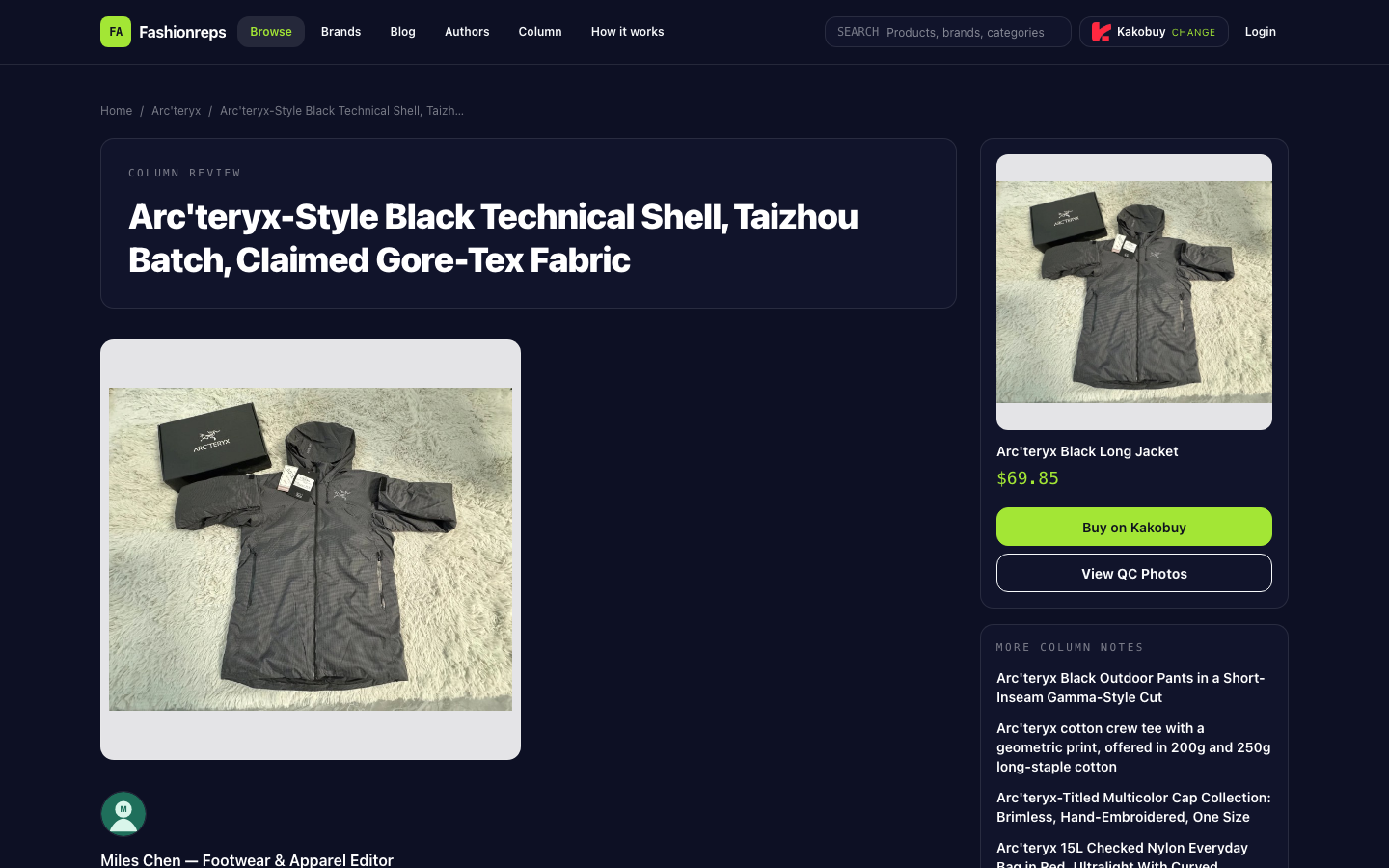
This page corresponds to a Taizhou batch black Arcteryx-style shell, with listed sizes ranging from S to XXL, and notes that product information includes embroidered logos, matching tags, and zipper hardware. When verifying a promo, first record the following:
- Does the product name exactly match the current page?
- Is the color still black?
- Does the selected size, batch, or variant change the product identity?
- Which amount is displayed as the product amount, and does it already include platform service fees?
- Which shopping agent platform does the purchase entry lead to?
The page also reminds that the final product price, service fees, and international shipping must be confirmed on the shopping agent platform. Thus, the reference price on the product page cannot alone represent the final payment amount, nor can it alone prove that a coupon will apply.
Check Promo Conditions in Order
Since the provided source does not show valid coupon terms, it is recommended to check item by item on the actual order page rather than guessing promo eligibility based on the product title or reference price.
1. Find the Official Coupon Entry
After entering the purchase entry on the product page, confirm whether the shopping agent platform displays promo information on the product page, cart, account coupon center, or checkout page. Record the coupon name, code, or promo identifier, as well as the corresponding platform name. If promo information only appears in third-party posts, search snippets, or pages that cannot be opened, it should not be considered a currently available promo.
2. Check Minimum Spend and Amount Basis
Check the minimum spend in the terms, and confirm whether it is calculated based on the product subtotal, discounted product subtotal, or order total including service fees and shipping. Record the $69.85 or $79.41 shown on the page separately from the actual product subtotal in the cart, avoiding confusion between reference price, original price, and amount due.
3. Check Brand, Category, and Item Exclusions
The coupon may exclude specific brands, style items, batches, sale items, or certain shopping channels. This product page uses an Arcteryx-style product description, not an official brand product page. If the promo terms restrict applicable brands or specified item ranges, the applicable result displayed on the shopping agent platform must prevail, and you cannot directly judge eligibility just because the product title contains the brand name.
4. Check Validity and Usage Limits
Record the coupon's start time, end time, time zone, account restrictions, and whether it is limited to new users. If the page shows "claimed," it does not mean it is still within validity; if the coupon has been used, reached its claim limit, or is only valid for specific accounts, it may also become invalid at checkout.
5. Check Stacking Restrictions
Confirm whether the coupon can be used simultaneously with product promotions, store discounts, platform activities, or other order offers. If the checkout page only keeps one of these offers, the discount amount shown on the final confirmation page should prevail, and do not add up multiple promotional amounts.
How to Confirm the Promo Actually Applies at Checkout
To confirm the promo is actually applied to the order, you must at least see a verifiable change in amount before submitting payment. It is recommended to save the following fields on the checkout page:
| Check Item | What to Record |
|---|---|
| Product Subtotal | The actual amount for the selected shell and specifications |
| Promo Name | Coupon code, activity name, or platform promo identifier |
| Discount Amount | The discount value clearly shown on the checkout page |
| Service Fee | Whether it changes before and after the promo |
| International Shipping | Whether not yet calculated or not eligible for the promo |
| Total Due | The final order amount after applying the promo |
Only when the promo name or code, discount amount, and total due appear simultaneously in the same checkout process can you confirm that the promo has been applied. Showing "available" in the cart, showing "claimed" in an input box, or displaying a promotional price on the product page is not sufficient proof that the final order has been discounted.
When to Stop and Not Continue with the Order
If any of the following situations occurs, pause first and do not complete payment based on guesses:
- The coupon has no clear validity period or scope of application.
- The product name, color, size, or batch on the product page and in the cart are inconsistent.
- The checkout page shows the promo is available, but no actual discount amount appears.
- The discount amount on the checkout page is inconsistent with the promo terms.
- The promo is only valid under specific accounts, regions, or payment methods, and the current account conditions cannot be confirmed.
- Payment is required first, with a promise to refund the difference or reissue the promo later.
- The product amount, service fee, or shipping changes, causing the minimum spend condition to possibly no longer be met.
The current source can only confirm the catalog information and reference price on this product page, and cannot confirm any active coupon, nor any platform's final shipping, service fees, or actual discount. The most reliable judgment standard is: first complete product identity verification, then check the official terms on the corresponding shopping agent platform, and finally rely on the promo name, discount amount, and total due shown on the checkout page before payment.